Stocard alternative
Stocard has gone.
Your cards do not have to
live in a payments app.
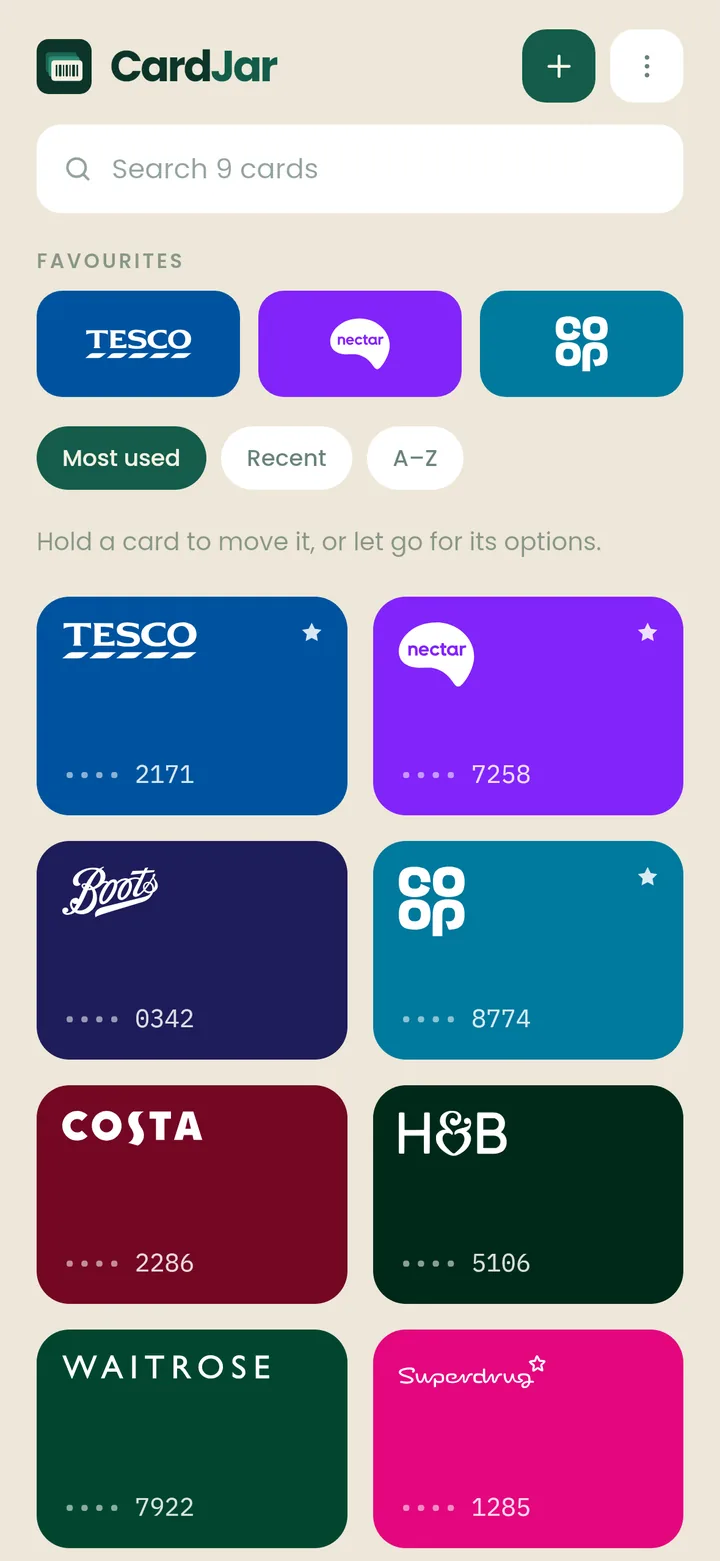
CardJar is a loyalty card wallet with no account, no sign-up and no server. It reads the screenshots you took before the shutdown, all of them at once, on your phone. 509 schemes across 12 countries get named and coloured automatically.


Free. No account, no sign-up, no email address.
Start with the album you were told to make
Stocard users were told to screenshot their cards before the app closed. Most people did, and then sat on a camera roll full of barcodes with nowhere sensible to put them.
CardJar's import reads every barcode out of every picture you pick, names each one from its list of shops, and adds the lot in a single tap. It all happens on your phone, with no signal needed. Nothing is uploaded.
Some schemes make a fresh code on every visit, and no wallet can store those. CardJar flags them before you add them, not at the till.

What actually happened to Stocard
Klarna acquired Stocard in 2021 and eventually folded its wallet into the Klarna app. The standalone Stocard app has been retired, and people who had used it for years were given a short window to move their cards across to an app that exists to do something else.
That migration went badly for a lot of people. Whether yours worked or not, your loyalty cards now sit inside a buy-now-pay-later app, behind an account.
If all you wanted was somewhere for your cards, that is a good reason to pick differently this time.
If CardJar disappeared tomorrow, your cards would still open at the till. They are on your phone, and there is no server to switch off.

Stocard, Klarna and CardJar, side by side
| Stocard | Klarna wallet | CardJar | |
|---|---|---|---|
| Account needed | Optional, for sync | Yes, a Klarna account | None. There is nothing to sign up to |
| Still there if the company moves on | No, and that is why you are here | Up to Klarna | Yes. No server to switch off |
| Works with no signal | Mostly | Needs the app signed in | Entirely. Even the retailer list is on the phone |
| What it is for | Loyalty cards, plus offers | Payments, with a wallet inside | Loyalty cards. Only that |
| Bulk import from screenshots | No | No | Yes, an album at a time, on the phone |
| Watch app | Was there, on both platforms | The complaint that comes up most | Wear OS app and tile today; no Apple Watch app |
| Giving a card to a partner | No | No | A one-time copy, by QR or link, with no account either side |
| Backup | To its own servers | To Klarna | An encrypted file you keep, locked with a passphrase you choose. Android's own backup carries your cards to a new phone |
| Advertising and offers | Yes | Yes | None, anywhere in the app |
| Price | Free | Free | Free |
Stocard's column describes the app as it was before it closed. Klarna's is written from its published description of the wallet inside the Klarna app; if we have any of it wrong, tell us and it gets corrected here.
Apple Wallet, Google Wallet, FidMe, Key Ring and the rest are compared on the alternatives page. For what CardJar itself does day to day, see the main page.
Moving across, in three steps
1. Find the screenshots
They are still in your camera roll. You do not need the old app, an export file, or an account to recover anything.
2. Import the album
Tap Import from screenshots, select the pictures, and CardJar reads every barcode it can find in them and names each card from its list of shops.
3. Star the ones you use
Favourites go to the top of the jar and onto your watch. That is it. There is no account to set up.
No screenshots? Scan the plastic cards you still have, or type a number in. A card CardJar has never heard of works exactly like one it recognises.
What you get that Stocard never had
Not a replica of a closed app. Three things it could not do.
A watch that works on its own. Favourite a card and it is on your wrist, in a tile. It opens even with your phone in another room.
Handing a card to someone. Show them a QR code, or send a link. They get their own copy to keep. Nothing links the two afterwards, there is no account on either side, and the card is never sent to a server.
No tracking, no ads. Nothing in the app reports back to anyone, and the short list of what can ever leave your phone is published.

Questions people arriving from Stocard ask
What was the Stocard app?
A free loyalty card wallet: it kept the barcodes of your store cards on your phone, so you could show the screen at the till instead of carrying the plastic. Klarna bought it in 2021, moved the wallet into the Klarna app and retired Stocard itself.
Why was Stocard discontinued?
Klarna acquired Stocard in 2021 and folded its wallet into the Klarna app. Once the cards lived there, the standalone Stocard app was retired, and its users were asked to move their cards across into Klarna.
What has replaced the Stocard app?
Officially, Klarna: Stocard's own users were sent there. If you would rather keep your loyalty cards out of a payments app, there are standalone wallets too, CardJar among them, and the comparison page sets Klarna, Apple Wallet, Google Wallet and the others side by side.
Can CardJar import a Stocard backup or export file?
No. Stocard had no open export format, and the app is gone. Screenshots are what you have, so CardJar reads a whole album of them at once.
I deleted Stocard without taking screenshots. Is anything recoverable?
Not from the app, no. Most loyalty numbers are printed on the plastic card, in your account on the retailer's own website, or in the welcome email they sent you. Scan or type each one in once and it is yours from then on.
Does CardJar need an account like Klarna does?
No. There is no sign-up screen anywhere in the app. For backup, you can save an encrypted file locked with a passphrase you choose, and Android's own backup carries your cards to a new phone. CardJar never sees a password.
Will this one shut down too?
If it did, your cards would keep working. The app has no server to switch off, your cards live on your phone, and you can export them to a file you keep.
Are my cards the same as they were?
Yes. A loyalty barcode is just your card number in a form the till can read, so a card read from your screenshot scans exactly as the original did.
What about Stocard's offers and discounts?
CardJar has none, on purpose. Offers are how a wallet earns from knowing what you buy, and CardJar does not track what you buy.
Is there an iPhone version?
Yes, it is on the App Store. You can install CardJar on Android, iPhone and Wear OS today. There is no Apple Watch app.
Somewhere for your cards that will not be sold to anyone.
Free, with no account, and an import built for exactly the album you are holding.
Free. No account, no sign-up, no email address.